Mastering BingX for Windows in 2026: The Ultimate Guide to Professional Desktop Trading and Copy Trade Strategies
For serious cryptocurrency traders, the transition from mobile apps to a dedicated desktop environment is a rite of passage. While mobile trading offers convenience, BingX for Windows provides the screen real estate and low-latency performance required for complex technical analysis and high-stakes risk management.
In 2026, the BingX desktop ecosystem has evolved into a powerhouse for both retail and institutional users. This guide explores how to leverage the Windows client to optimize your trading execution, manage capital through advanced orders, and master the world-renowned BingX Copy Trading system.
Why Trade on BingX for Windows?
While the web browser version is capable, the native BingX for Windows application offers several distinct advantages:
- Reduced Latency: Direct communication with exchange servers often bypasses the overhead associated with heavy web browsers.
- Multi-Window Support: Effortlessly monitor multiple charts (BTC/USDT, ETH/USDT, and Altcoin pairs) simultaneously.
- Enhanced Security: Native applications can offer more robust integration with hardware security keys and biometric Windows Hello features.
- Customizable Workspace: Tailor your layout to focus on order books, depth charts, or social trading feeds.
Advanced Order Execution and Risk Management
To survive and thrive in the 2026 crypto market, understanding order types on the BingX desktop client is non-negotiable.
1. Limit vs. Market vs. Stop-Loss
On the Windows interface, these options are prominently displayed to ensure quick execution.
- Limit Orders: These allow you to set a specific price at which you want to buy or sell. This is essential for "Maker" rebates and avoiding slippage.
- Market Orders: Used for instant execution at the current best available price. Use these sparingly during high volatility to avoid "fat-finger" errors.
- Stop-Loss (SL) & Take-Profit (TP): The Windows app allows you to set these simultaneously with your entry. In 2026, BingX’s "Guaranteed Price" feature ensures your SL triggers even during extreme flash crashes, protecting your capital from total wipeout.
2. Managing Margin and Leverage
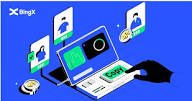
Leverage is a double-edged sword. The BingX desktop client provides a clear visualization of your Liquidation Price.
- Isolated Margin: Limits your risk to a specific position. If the trade fails, only the assigned margin is lost.
- Cross Margin: Uses your entire account balance to prevent liquidation. While flexible, it carries the risk of a total account "wipe."
- Pro Tip: Never use maximum leverage (e.g., 125x or 150x) unless you are a professional scalper with a strict 1-minute exit strategy. For most traders in 2026, 5x to 10x leverage remains the "sweet spot" for sustainable growth.
Selecting Elite Traders in the BingX Copy Trade Ecosystem
BingX is a pioneer in Social Trading. Using BingX for Windows, you can perform a deep-dive analysis of "Elite Traders" that is simply not possible on a small mobile screen.

How to Evaluate a Trader in 2026:
- ROI vs. Drawdown: Don't just look at the high Return on Investment (ROI). Look for a "Max Drawdown" below 15%. A trader who gains 500% but risks 80% of the capital is a gambler, not a professional.
- Trading Days: Prioritize traders with at least 200+ active trading days. Consistency is king in the volatile crypto landscape.
- AUM (Assets Under Management): See how much real capital is following them. High AUM usually indicates trust from the community.
- Position History: Use the Windows app to scroll through their last 50 trades. Do they revenge trade? Do they use Stop-Losses?
Pros and Cons of Using BingX for Windows
| Pros | Cons |
|---|---|
| Superior charting with TradingView integration | Requires a decent PC/Laptop for smooth performance |
| Faster execution speeds than mobile/web | Not as portable as the mobile application |
| Comprehensive view of Copy Trade data | Higher learning curve for beginners |
| Professional-grade risk management tools | Potential for distraction with too many open charts |
Step-by-Step: Setting Up Your Windows Trading Station
- Download: Visit the official BingX website and download the Windows .exe installer.
- Security Setup: Immediately enable 2FA (Google Authenticator) and link your Windows Hello (Fingerprint or Face ID) for secure logins.
- Interface Customization: Drag and drop the widgets to place the "Order Book" and "Recent Trades" where they are most visible.
- API Management: If using third-party bots or journals, generate your API keys directly through the desktop settings.
Frequently Asked Questions (FAQ)
1. Is BingX for Windows safer than the mobile app?
Both are highly secure, but the Windows version allows for better integration with advanced security protocols and provides a clearer view of your trade details, reducing the risk of manual entry errors.
2. Do I need to complete KYC to trade on BingX in 2026?
Yes, BingX adheres to global regulatory standards. To access full withdrawal limits and participate in Launchpads or advanced Copy Trading features, Identity Verification (KYC) is mandatory.
3. Can I use the same account on Windows and Mobile?
Absolutely. Your account, balance, and open positions sync in real-time across all devices. You can open a trade on your PC and close it on your phone while on the go.
Conclusion
The BingX for Windows application is the preferred choice for traders who demand precision, speed, and deep analytical capabilities. By mastering advanced order types, maintaining strict margin discipline, and utilizing the desktop-enhanced Copy Trading filters, you position yourself for success in the 2026 crypto market. Remember, the best tool is only as good as the risk management strategy behind it.
Disclaimer: Cryptocurrency trading involves significant risk and may result in the loss of your invested capital. This article is for informational purposes only and does not constitute financial advice. Always conduct your own research and never invest money you cannot afford to lose.
Binance Exchange Review 2026
Binance
binance download
Binance
binance staking
Binance
binance vs coinbase
Binance
binance api
Binance
binance academy
Binance
binance smart chain
Binance
binance referral code
Binance
binance sign up
Binance
binance fees
Binance
binance login
Binance
binance us
Binance
binance app
Binance
binance support
Binance
binance coin
Binance
bnb
Binance
binance exchange
Binance
binance futures
Binance
binance wallet
Binance
binance p2p
Binance
Running Shoes
BingX Exchange Review 2026
Bingx
bingx copy trader
Bingx
bingx exchange review
Bingx
bingx ftx
Bingx
bingx gold
Bingx
bing bon exchange
Bingx
bing x apk
Bingx
bing x review
Bingx
bingbon bingx
Bybit Exchange Review 2026
Bingx
bingx copy trader
OKX Exchange Review 2026
Claim up to 10,000 USD in Mystery Boxes
Bingx
bingx copy trader